

REMOTE PRINTING
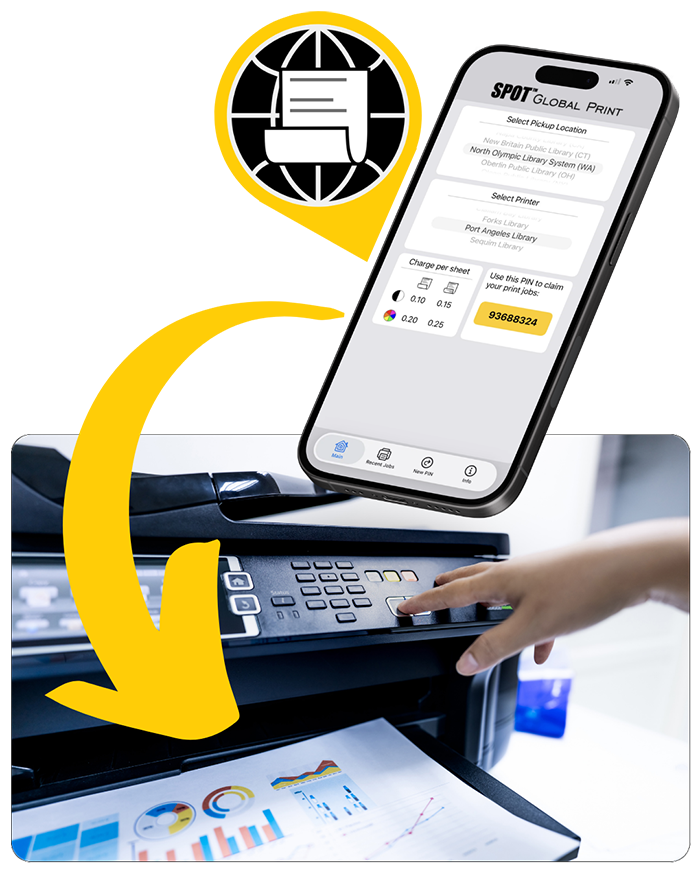
You can print remotely from a home computer or mobile device (phone, laptop, tablet) to the printer at a NOLS location of your choice.
No library card is required — view printing costs below.
NOLS library cardholders receive a $2.50 weekly free printing credit.
To get started:
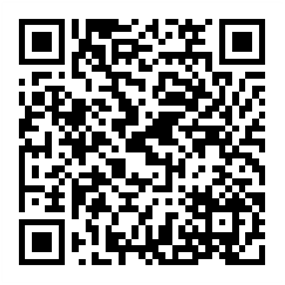
- Download the SPOT Global Print app.
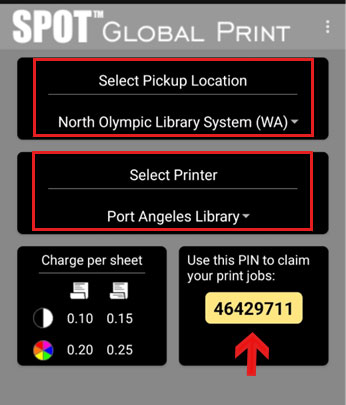
- Open the SPOT Global app, select North Olympic Library System as the pickup location, and choose your library branch as the printer. You can change your printing location each time as needed.
- Open the file you wish to print and select “print” directly from the app used to open the file. You can print up to 100 pages per order; for more than 100 pages, split your document.
- The library branch you selected will appear as a printer option. Select the library as your printer and print the file.
- At the print station in the library, enter the PIN from the SPOT Global Print app to display your files waiting to print. A library card is not required, but if you also enter your library barcode and password at the same time as your PIN, your weekly free printing credit will be available for use with your remote prints.
Pick up within 24 hours: Print jobs not retrieved within 24 hours of being sent are automatically removed and deleted from the system.



PRINT FROM A LIBRARY COMPUTER
Printing is also available while using a public computer at the library. To access your files while using a public computer, you can log in to your cloud storage location such as Google Drive or Microsoft OneDrive, or connect your USB drive. Some users find emailing files to themselves works well.
Printing costs and library cardholder credits are the same whether you use remote printing or print from a library computer.
PRINTING COSTS
Patrons with a Full Service or Limited Service library card are given $2.50 in free printing each week (credit resets every Monday morning). This allowance does not cumulate or roll over.
Fees for printing beyond the free credit, and for users without a library card, are:
- Black and white – One sided $0.10 per page. Two sided $0.15 per page.
- Color – One sided $0.20 per page. Two sided $0.25 per page.
Note: Library printers only print on 8.5″ x 11″ (letter size) white paper. You cannot use your own paper.
Any required payment is by cash or coin only.
Questions?
If you have questions about printing, contact library staff by calling 360-417-8500 or emailing ehelp@nols.org.